The calculator has a USB port and nothing else. lwIP-CE already used that port to talk to USB Ethernet adapters. I wanted it on Wi-Fi without new calculator hardware, so the bridge does the radio work. You plug the calculator into the board with its stock cable, and it shows up as an ordinary Ethernet interface. DHCP, TCP, UDP, DNS and TLS behave exactly as they do over a cable.
This is that board. Drag it around, explode it, and hover any part to find it in the schematic.
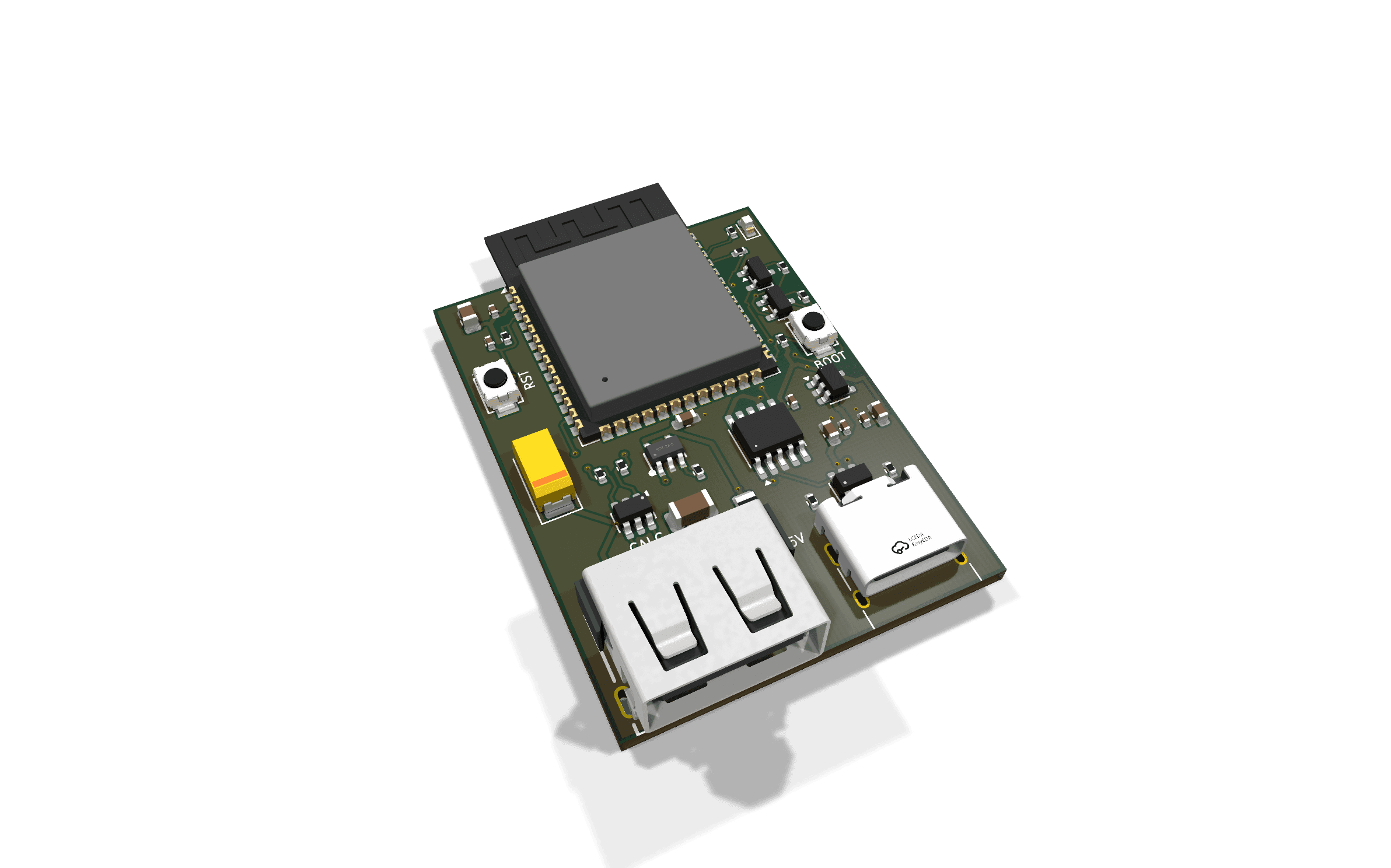
lwIP-CE Wi-Fi Bridge, rev 1
Hover a part on the board or in the schematic. Click to focus it, drag the board to orbit.
The board
It is a two-layer, 32 × 44 mm board with 36 parts, built around an ESP32-S3-WROOM-1-N16R8. It has two USB ports with different jobs. The USB-C port brings in 5 V and carries the serial console through a CH340K, which also resets the S3 into its bootloader for flashing. The USB-A port is driven by the S3's own USB peripheral as a host, so the calculator stays the USB device it always is. You don't need an OTG adapter.
Power to the calculator goes through a current-limited load switch (SY6280, set to about 570 mA), with bulk capacitance behind it, so a shorted cable or a hot-plug can't take the rest of the board down. Both ports have USBLC6 ESD protection, because a calculator cable goes in and out of a pocket a lot. I drew and routed it in KiCad, picked every part from LCSC, and had JLCPCB fabricate and assemble it. It is the first PCB I designed that actually went into production, and it worked on the first try. I'm proud of that one. Lesson learned: prototyping with assembly costs a lot more than I expected. The BOM and placement files are in the repo, next to a 3D-printable enclosure. All of it is licensed under CC BY-NC-SA 4.0: build one for yourself, but don't sell boards without asking me first.
The firmware
The bridge runs ESP-IDF firmware for the ESP32-S3 board. It also runs on a Waveshare ESP32-P4 kit, which reaches its ESP32-C6 radio over SDIO. It forwards Ethernet frames between USB and Wi-Fi with no NAT, so the calculator sits directly on your network. It gets an address from your router, other devices can reach it, and a server running on the calculator just works. Because a Wi-Fi station may only send from its own MAC address, the calculator borrows the bridge's. That means it usually gets the same IP every time.
Next to the data path there is a control channel. Programs use it through
<lwip/wireless/wifi.h>. It reports connection state, scans, and manages up
to eight saved networks. The bridge joins the best saved network in range on
its own and reconnects right away when a working link drops. It filters out
forged frames, and if Wi-Fi goes away the calculator's link goes down like a
pulled cable. DHCP runs again when it comes back.
Making cryptography faster
Public-key cryptography is slow on a 48 MHz eZ80. The ESP32-S3 has hardware
accelerators for it, so the bridge takes over the expensive operations. It
computes X25519 and P-256 key exchanges, verifies RSA and ECDSA P-256
signatures, and supplies random numbers from its hardware TRNG. Programs can
call these directly through lwip_wifi_x25519(), lwip_wifi_rsa_verify() and
lwip_wifi_random(). lwip_wifi_crypto_caps() reports which ones the
connected bridge supports.
TLS gets the biggest speedup. Without offload, a P-256 key exchange takes long enough that some servers give up on the handshake. With offload, the bridge does the key exchange and checks every signature on the certificate chain. The calculator keeps the rest: the key schedule, record encryption, certificate parsing and policy.
Offloading never changes a verdict. Signature checks run in parallel with the handshake, and the handshake waits for all of them before it sends Finished. If the bridge doesn't answer within two seconds, the calculator does the work itself. The TRNG output is mixed with the calculator's own generator state, so a faulty bridge can't make the random numbers predictable.
One API
This started as WiTi, my own separate Wi-Fi library. Two networking libraries on a calculator is one too many, so I merged it into lwIP-CE (#59). Now Ethernet and Wi-Fi share one stack and one API, and the lwIP-CE app's Wi-Fi screen uses the same calls any program can.
I also moved lwIP-CE's CI onto CEmu-lwIP-CE, my fork of the CEmu emulator with real networking (#73). Network, host and fuzz suites now run against the actual library on every push. Bridge firmware 1.0.0 ships with a browser-based flasher, so setting up a board needs nothing installed.